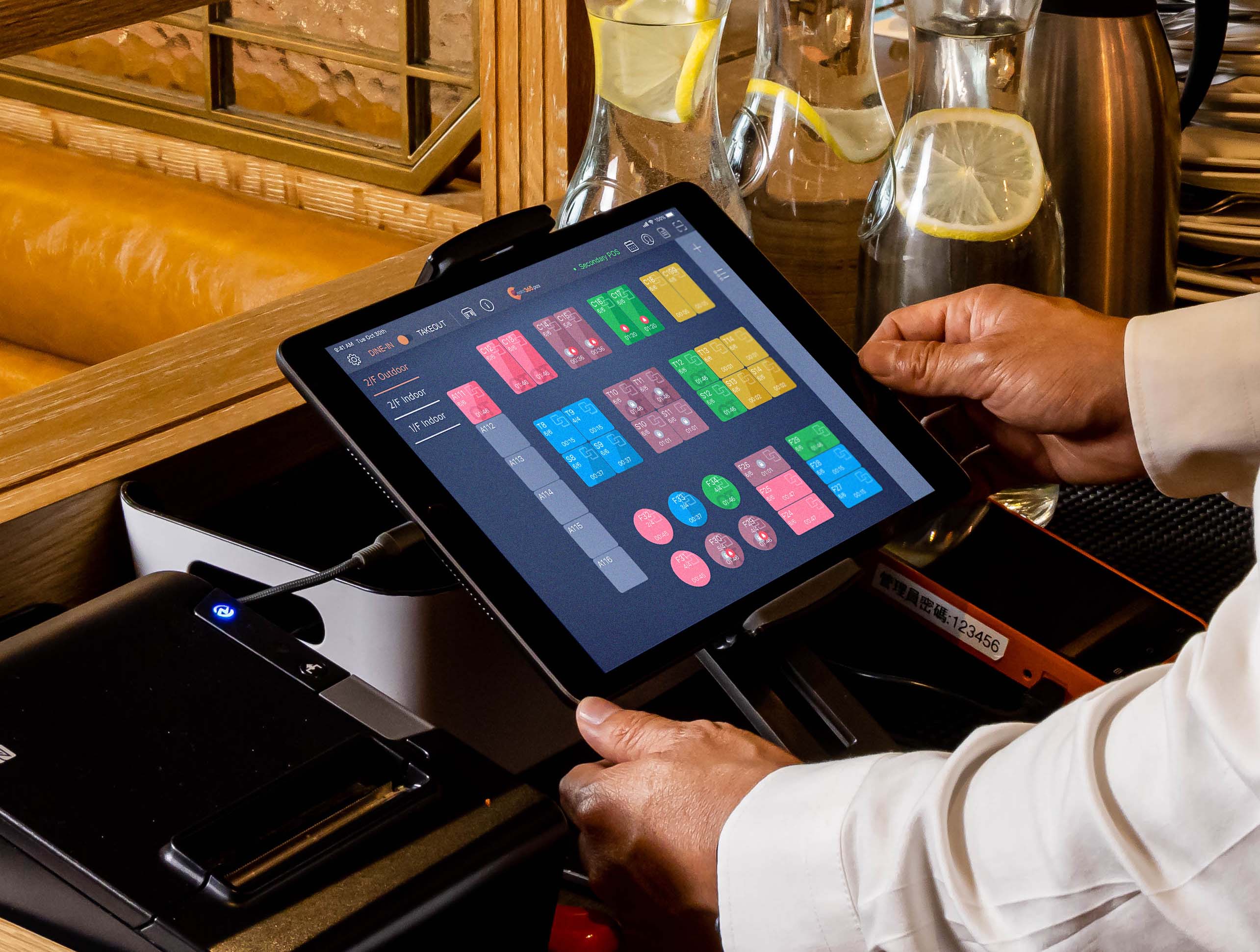
A restaurant runs on speed, accuracy, and coordination. Understanding how to use POS system restaurant operations properly helps staff process orders faster, reduce billing mistakes, and gain real-time insights into sales and inventory.
A restaurant POS system is more than a payment tool. It connects ordering, kitchen communication, inventory tracking, reporting, and customer management into one unified workflow.
This guide explains how to use a POS system in a restaurant, including setup, daily operations, staff training, and best practices.
How Do You Use a POS System in a Restaurant?
To use a POS system in a restaurant:
-
Enter menu items and pricing.
-
Take customer orders using the POS terminal.
-
Send orders to the kitchen automatically.
-
Process payments and split bills.
-
Track inventory as items sell.
-
Review daily sales and performance reports.
Restaurants use POS systems to improve speed, accuracy, and operational control.
What Is a Restaurant POS System?
A restaurant POS (Point of Sale) system is software and hardware used to manage:
-
Order processing
-
Payments and receipts
-
Table and seat tracking
-
Inventory usage
-
Sales reporting
-
Staff performance
-
Customer loyalty programs
Modern POS platforms replace manual order tracking and provide real-time operational visibility.
Why Learning POS Usage Matters for Restaurants
Restaurants that understand how to use pos system for restaurant operations benefit from:
-
Faster service and reduced wait times
-
Accurate orders and billing
-
Better inventory control
-
Real-time sales tracking
-
Improved customer experience
-
Data-driven decision-making
Efficient POS use directly impacts profitability and customer satisfaction.
POS Hardware Components Explained
POS Terminal or Tablet
Used to enter orders and manage payments.
Kitchen Display System (KDS)
Displays orders digitally to reduce kitchen errors.
Receipt Printer
Prints kitchen tickets and customer receipts.
Payment Reader
Accepts cards, mobile wallets, and contactless payments.
Cash Drawer
Stores cash and integrates with the POS system.
Step-by-Step: How to Use a POS System in Restaurant Operations
1. Set Up Menu Items
Input:
-
Categories and menu items
-
Prices and taxes
-
Modifiers (extra toppings, spice level)
-
Combo meals and specials
Accurate setup ensures smooth ordering.
2. Configure Table Layout
For dine-in service:
-
Assign table numbers
-
Create server sections
-
Enable split billing and seat tracking
This helps manage busy service periods efficiently.
3. Take Orders Using the POS
Servers:
-
Select menu items quickly
-
Add modifiers and notes
-
Send orders instantly to the kitchen
Proper order entry reduces mistakes and delays.
4. Send Orders to the Kitchen
Orders are transmitted through:
-
Kitchen printers, or
-
Kitchen display screens
Kitchen staff can prioritize and track order progress.
5. Process Customer Payments
To complete a transaction:
-
Open the order ticket
-
Confirm items and totals
-
Split the bill if needed
-
Accept card, cash, or digital payment
-
Provide receipt via print or email
Fast checkout improves table turnover.
6. Manage Takeout & Delivery Orders
POS systems allow staff to:
-
Receive online orders
-
Schedule pickups
-
Integrate delivery platforms
-
Track order status
This centralizes dine-in and off-premise orders.
7. Track Inventory Automatically
POS systems deduct ingredients as items sell.
Track:
-
Stock levels
-
Low inventory alerts
-
Usage trends
-
Reorder timing
Inventory tracking reduces waste and shortages.
8. Review Daily Reports
Managers can review:
-
Total sales
-
Payment breakdowns
-
Best-selling items
-
Refunds and voids
-
Staff performance
Reports support smarter business decisions.
Staff Roles When Using a POS System
Servers
-
Enter accurate orders
-
Update modifications
-
Process payments
Kitchen Staff
-
Monitor incoming orders
-
Update order status
-
Communicate delays
Managers
-
Monitor sales reports
-
Track inventory
-
Manage system permissions
-
Analyze performance trends
Clear role responsibilities improve efficiency.
Essential POS Features for Restaurant Efficiency
Table Management
Improves seating flow and billing accuracy.
Menu Modifiers
Handles customization without confusion.
Loyalty Programs
Encourages repeat customers.
Mobile POS
Allows tableside ordering and payment.
Sales Analytics
Identifies top-performing menu items.
Common POS Mistakes Restaurants Should Avoid
Poor Menu Configuration
Incorrect modifiers cause kitchen errors.
Insufficient Staff Training
Untrained employees slow service.
Ignoring Sales Data
Reports reveal cost-saving opportunities.
Manual Inventory Tracking
Leads to shortages and waste.
Overcomplicated Permissions
Confuses staff workflows.
Avoiding these mistakes ensures smooth operations.
Best Practices for POS Staff Training
-
Provide hands-on training sessions
-
Use real service simulations
-
Create quick reference guides
-
Review common errors regularly
-
Assign a POS lead for troubleshooting
Well-trained staff maximize POS efficiency.
Benefits of Using a POS System Correctly
Proper POS usage leads to:
-
Faster service speed
-
Fewer billing errors
-
Better inventory control
-
Improved staff productivity
-
Real-time business insights
-
Enhanced customer satisfaction
Restaurants that optimize POS usage operate more efficiently and profitably.
How to Choose the Right POS System
When selecting a restaurant POS system, consider:
-
Ease of use
-
Integration with delivery apps
-
Inventory tracking capabilities
-
Reporting and analytics depth
-
Cloud accessibility
-
Customer support reliability
The right system supports growth and operational control.
Future Trends in Restaurant POS Technology
Modern POS systems are evolving with:
-
AI-powered sales forecasting
-
Contactless and mobile payments
-
Self-service kiosks
-
Automated inventory prediction
-
Integrated customer insights
Adopting modern POS capabilities improves competitiveness.
Final Summary
Understanding how to use pos systems for restaurants helps streamline service, improve accuracy, and provide clear operational insights. From order entry to inventory tracking and reporting, POS systems are essential tools for efficient restaurant management.
Restaurants that invest in training, optimize workflows, and use POS data effectively can improve service speed, reduce costs, and increase customer satisfaction.
How to Use POS System in Restaurant - FAQs
How do restaurants use POS systems?
Restaurants use POS systems to process orders, manage payments, track inventory, and monitor sales performance.
Is a POS system difficult to learn?
Most modern POS systems are user-friendly and staff can learn basic operations within a few hours of training.
Can a POS system track inventory automatically?
Yes, POS systems deduct inventory as items are sold and provide low-stock alerts.
Do small restaurants need a POS system?
Yes. POS systems improve accuracy, speed, and financial tracking even for small restaurants.
What is the biggest benefit of a restaurant POS system?
The biggest benefit is improved efficiency through automated ordering, payment processing, and real-time reporting.
Relevant Guides & Services
Android App Development Services